
Hailuo AI: Image&Video Maker review
 Analysis by GetAllApps
I’d describe Hailuo AI: Image&Video Maker as a creative sketchpad that tries to turn a written idea into something visual, rather than as a replacement for a full photo or video editor. I found that distinction useful: the appeal is getting from “I can picture this” to a generated image or moving scene, while the trade-off is that the result may need several attempts before it matches the idea in your head. If you enjoy experimenting with AI imagery, it is worth a look; if you need precise, dependable editing, I’d choose a conventional editor instead.
What using Hailuo AI feels like now
Hailuo AI is a free photography app from MiniMax AI, though its creative focus reaches beyond still pictures into AI-generated video. The current version is 2.22.1, and the app has grown to over 10 million installs. That reach suggests it has found an audience, but its average rating of 3.4 across around 90,000 ratings is a reminder that people’s experiences are not uniformly smooth or satisfying.
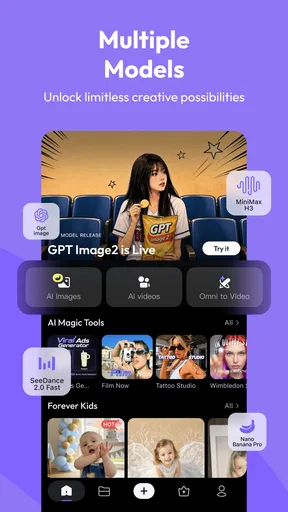
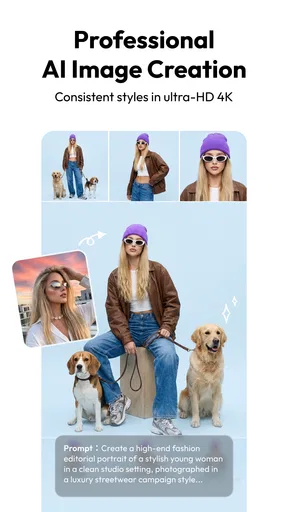
The basic attraction is simple: describe a visual idea and see what the AI makes of it. That makes the app useful when you want a quick concept image, a playful scene to share, or a starting point for a short visual project but do not want to assemble everything manually. It is less suited to a task where a specific face, object position, brand detail, or exact visual style must remain consistent.
I’d approach it as an idea generator, not a reliable production pipeline. A prompt can communicate mood and subject, but generated results involve interpretation. That difference matters in everyday use: asking for a dreamy illustration leaves plenty of room for the model to improvise; asking for a product image where every detail must be accurate leaves much less room for error.
Where it fits among creative apps
Compared with a standard camera app, Hailuo AI is about creating scenes rather than capturing what is in front of you. Compared with a traditional editor, it puts more emphasis on generating material from an idea than on giving you exact control over every pixel or frame. If your usual workflow is to crop a photo, adjust color, and add text, a familiar editor is likely faster and more predictable.
Its strongest audience is people who like trying visual concepts without needing specialist software: social-media creators looking for a rough idea, hobbyists making imaginative images, or anyone curious about AI-generated motion. It can also help you get unstuck. Instead of staring at a blank canvas, you can test a few descriptions, notice which visual direction feels right, and use that as inspiration for work elsewhere.
Getting more useful results from a prompt
A practical way to work is to begin with one clear subject and one visual direction. For example, describe a rainy street at dusk in a hand-painted style rather than piling on several locations, moods, and camera instructions at once. Once you see what the app emphasizes, revise the prompt around the biggest mismatch. This makes each attempt informative: you learn whether the problem is the subject, the setting, or the style instead of changing everything at the same time.
I’d also separate “must-have” details from decorative ones. If the scene needs a particular object, put that up front and keep the rest of the prompt focused. If the result is meant only to set a mood, you can be more open-ended. This is a useful trade-off with generative tools: tighter instructions can make the goal clearer, but they do not guarantee exact control, while a looser prompt can produce a more surprising result.
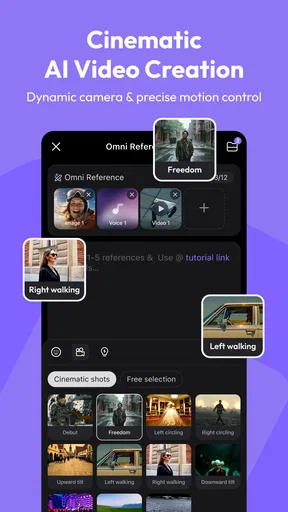
For a short video idea, it helps to think in terms of one readable action rather than a complicated sequence. A single subject doing one thing gives the generator a clearer visual target than a prompt that tries to describe multiple events. I would treat the first output as a draft and judge whether its overall motion and atmosphere work before spending time refining small details.
A realistic everyday use
Imagine you are putting together a casual post for a friend’s birthday and want a whimsical image of a tiny cake on a moonlit table. You could use Hailuo AI to explore a few visual interpretations, then choose the one whose colors and mood feel right. That is a better fit than asking it to create a precise invitation with flawless lettering and carefully aligned information; for that, I’d generate or select the artwork first and add the text in a dedicated design app.
The same split applies to a personal project. If you are planning a short video and cannot decide whether it should feel cozy, surreal, or dramatic, generating a visual concept can help you settle on a direction. But if you need dependable continuity between several shots, exact timing, or a polished edit ready for a client, a specialist video editor gives you more control over the finished result.
What the current version means for existing users
The app was released on January 23, 2025, and its current version is 2.22.1. Those facts show that the product has moved beyond its initial release into a later version, but a version number alone does not tell me which features changed or how a particular workflow has improved. I would not assume that an update has solved a specific issue unless I could see that change described in the app itself.
For someone who already uses it, the practical approach is to keep judging the app by the results and controls available in the version installed on their device. If a familiar prompt starts producing a different-looking result, save the wording that worked well and compare new attempts rather than assuming that a model or interface change is the cause. That habit is useful with creative AI because small prompt edits can also lead to noticeably different outputs.
New users can begin with a low-stakes experiment: choose a visual idea that does not depend on exact text or factual accuracy, then see whether the app’s interpretation is appealing. That quickly reveals whether its style suits you. It is a more useful first test than starting with a demanding commercial asset and concluding that the whole category is either perfect or useless.
Costs and practical expectations
Hailuo AI is free to install, but it offers in-app purchases ranging from $0.99 to $854.40 per item. That unusually broad range makes it especially important to check the purchase screen carefully before committing to anything. I would start with the free experience, learn what you can create and how often you expect to use it, and only then decide whether a paid option makes sense for your own routine.
It is also worth being realistic about iteration. AI creation can feel quick when the first result is close, but repeated attempts can turn a simple idea into a time-consuming search. Before generating, decide what would count as “good enough”: the right mood, a recognizable subject, or a usable starting point. If you require every detail to be correct, the effort may be better spent in an editor where you can place and adjust elements directly.
The app is rated Teen, which is a useful signal for families choosing creative apps, but it does not replace a parent’s judgment about what a young person should make or view. I’d consider the intended use and discuss responsible sharing, especially when generated images could be mistaken for real scenes. For any audience, it is sensible to review a result before posting it publicly.
Where the friction remains
The main limitation is the gap between describing an image and controlling it. A prompt is not the same as a set of precise editing tools: the model can interpret a detail differently than you intended, and repeated revisions may still miss the target. That is part of the appeal when you want surprise, but it becomes frustrating when you have a fixed brief.
Another trade-off is that a strong still image and a useful video are not interchangeable outcomes. A visual concept may look compelling as a single frame yet not suit the movement you imagined. I’d evaluate the output for the purpose you actually have, rather than assuming that success in one format means the other will work equally well.
The average rating of 3.4, alongside roughly 1,100 written reviews, makes me cautious about recommending it as a must-have for everyone. Ratings cannot explain every individual experience, but they do support a measured recommendation: try it if the creative process sounds fun, and do not build an essential workflow around it until you have tested it yourself.
Who should try it, and what to watch
I’d recommend Hailuo AI to curious creators who enjoy experimentation, want quick visual inspiration, or like turning imaginative prompts into images and video. I’d steer away from it if you need exact composition, reliable text inside artwork, consistent details across a series, or fine-grained editing controls. In those cases, a standard photo editor, a design tool, or a dedicated video editor is the more practical choice.
The app’s next version is something to judge by concrete changes rather than by the version number alone. If you already use it, watch whether updates improve the parts of your workflow that matter, such as getting a closer match to your prompt or making the creation process easier to manage. For now, I see it as a playful tool with real idea-making value, balanced by the unpredictability that comes with generative output.
My advice is to test it with a small, specific project before deciding whether it deserves a place in your regular toolkit. Keep the first prompt simple, revise one thing at a time, and use a separate editor when precision matters. That way, you get the best part of AI creation—the chance to discover an unexpected visual direction—without expecting it to do the job of a carefully controlled editing app.
Pros and cons
Pros
- Turns text prompts into short AI-generated videos.
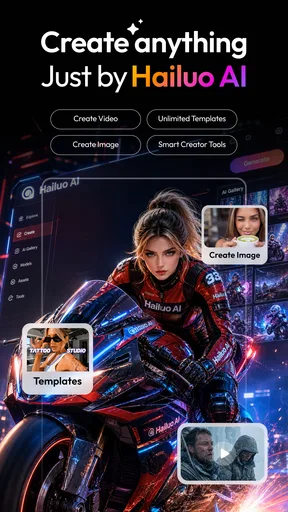
- Offers image creation alongside video generation.
- Makes it easy to explore creative ideas without editing skills.
- Provides a straightforward workflow for generating content.
- Useful for creating visuals for social media posts.
Cons
- AI results may not match the prompt precisely.
- Video generation can take time during busy periods.
- Free usage may be limited by generation credits.
- Some outputs may contain visual glitches or distortions.
- Generated content may need editing before sharing.


